Introduction
Cloudflare provides the ability to enforce 2FA (two factor authentication) for all account members. When this setting is enabled, all users joining the account must enable 2FA.
2FA provides an additional layer of security and must be enabled wherever possible to create a defence in depth security setting. An attacker would not be able to login to an account even if they had the password as the account would require a 2FA token to complete the login process.
A user whose 2FA is disabled could fall prey to a stolen credential attack and could lose access to their accounts to attackers if 2FA is not set up. If this user has high privileges within the Cloudflare account, it can allow the attackers to take over the account completely.
In this article we will take a look at how to enforce 2FA for all members in Cloudflare account.
Enforce 2FA on Cloudflare
Following are the steps to enforce 2FA for all Cloudflare account members:
-
Login to your Cloudflare account
-
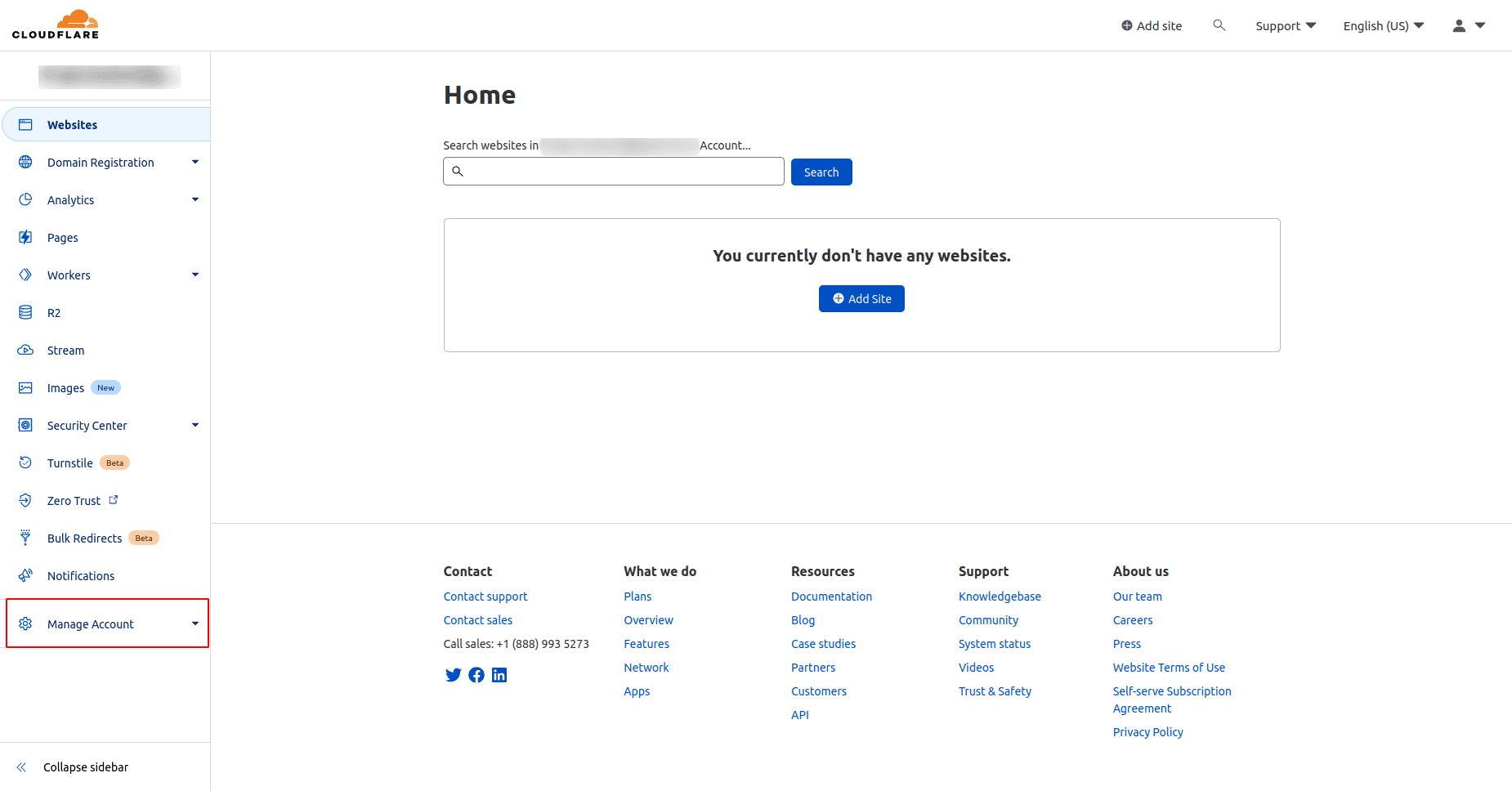
On the left side menu, go to Manage Account
-
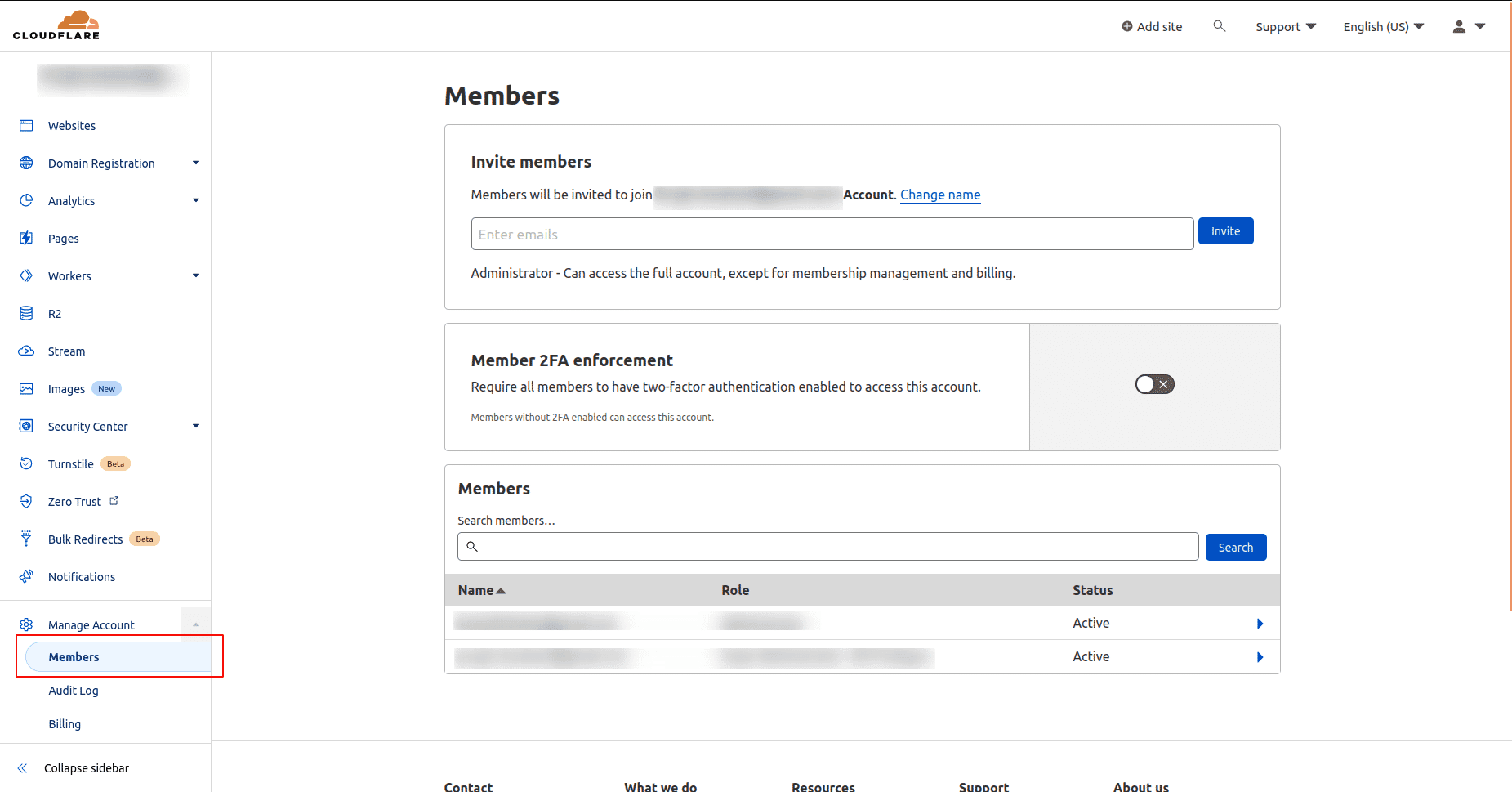
Click on Members
-
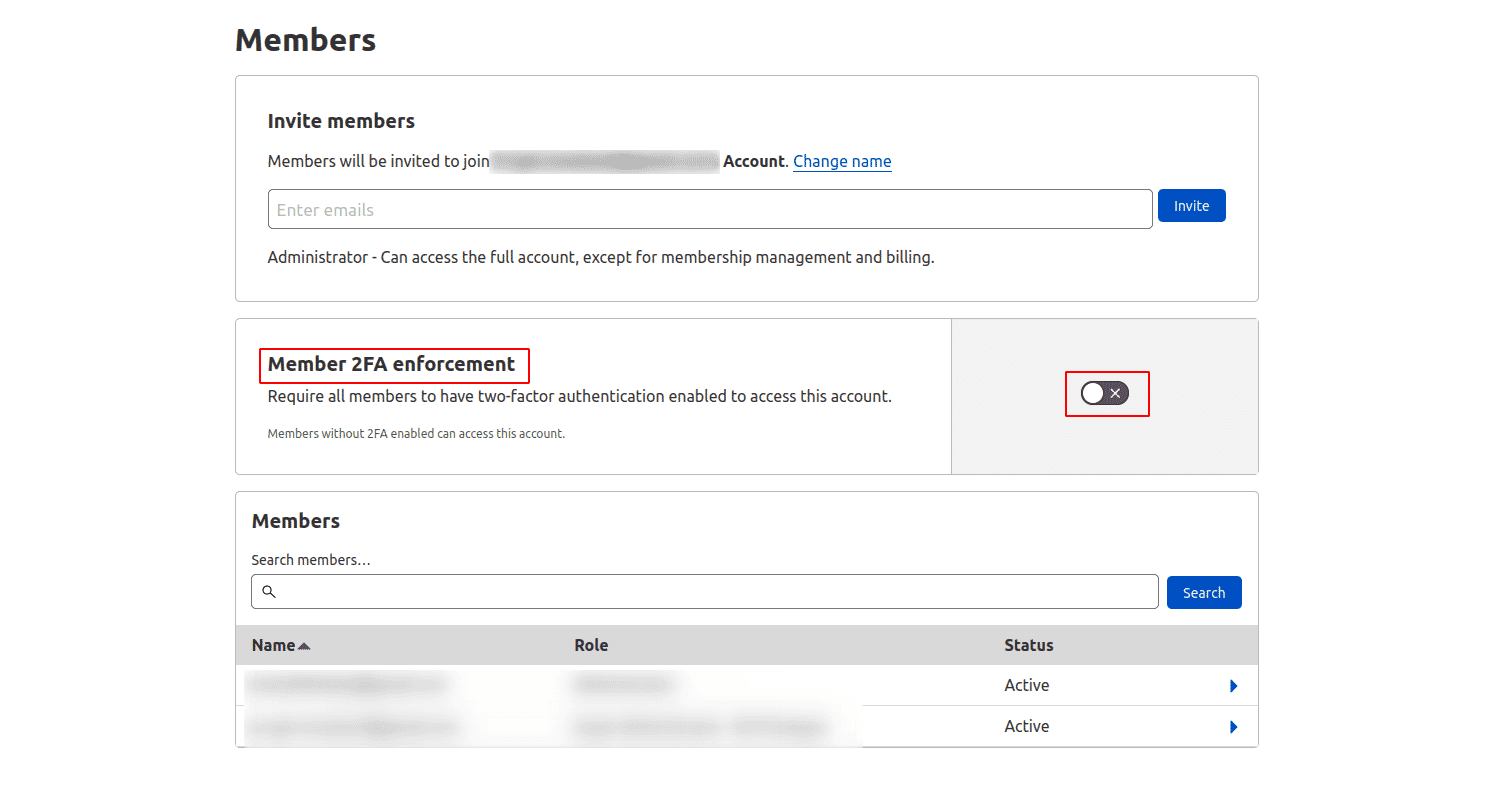
Under Member 2FA enforcement, click on the toggle button to enable this feature
-
Click on Confirm button
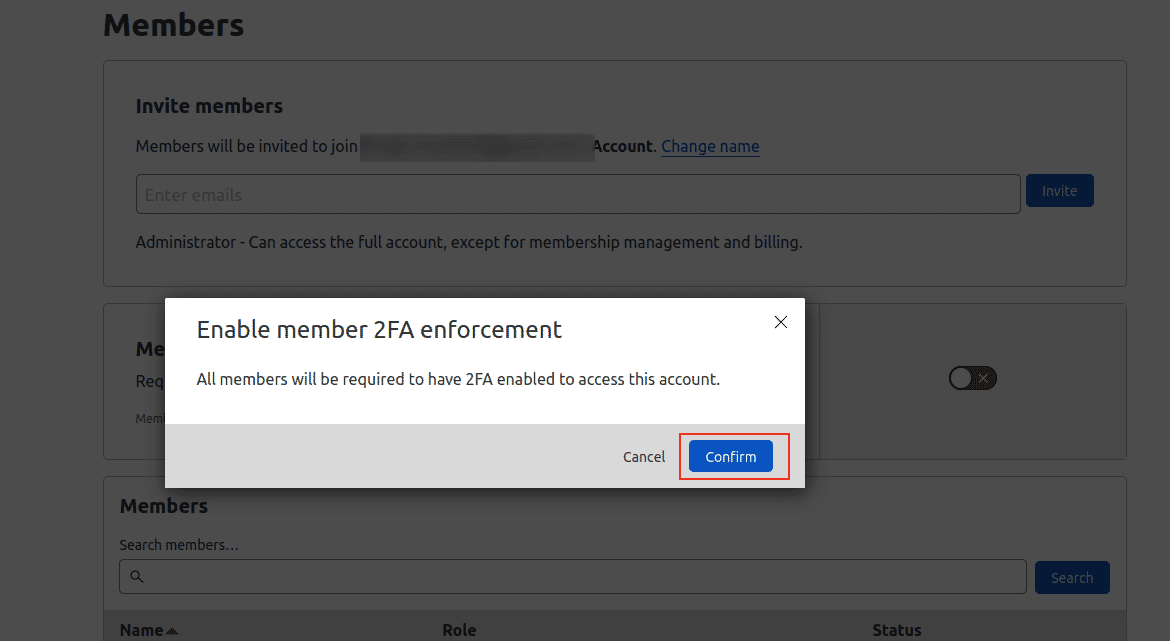
-
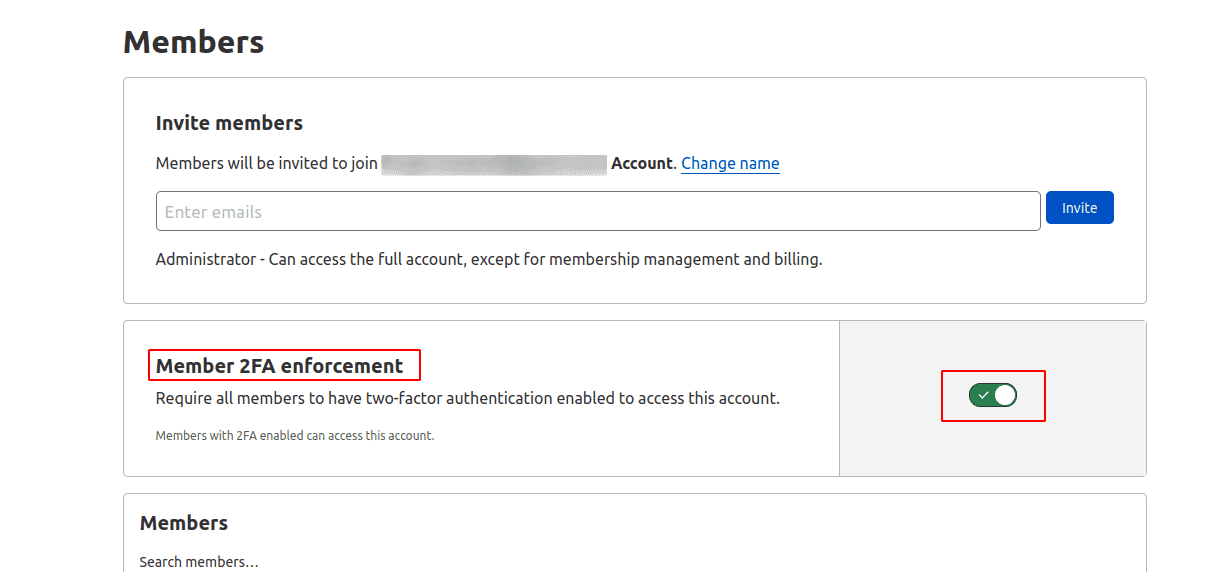
Finally we can see that the toggle button turns green which means that Member 2FA enforcement feature has been successfully enabled